


Aurevion Phone Cleaner
3.928.00 Reviews
App Specs
- Version
- 6.0
- Updated On
- License
- Free
- Downloads
- 50,000+
- Developer
- FULL FAST FABULOUS CO., LIMITED
- Categories
- Tools
- Platform
- Android
Screenshots
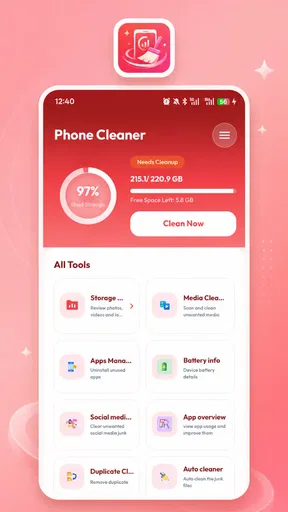
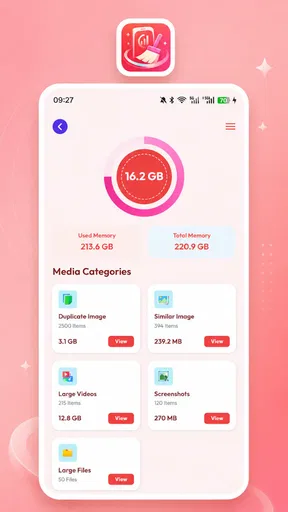
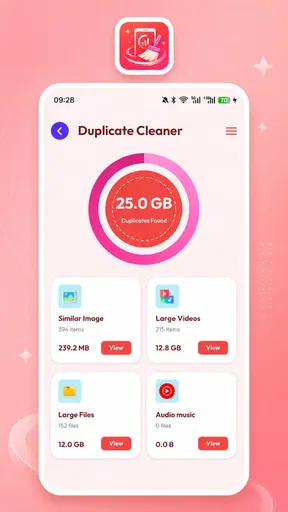
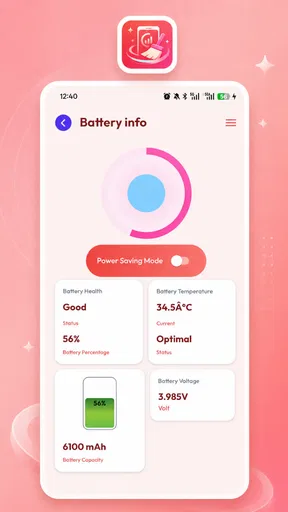
 Analysis by AppCompare
I approached Aurevion Phone Cleaner as a practical storage tool rather than a magic performance booster. Its job is to help me review how space is being used, manage installed apps, and bring some order to files on an Android device. That sounds simple, but it matters: storage management is one of those tasks where a clear review screen and careful deletion choices are more valuable than dramatic promises.
The app is free, aimed at everyone, and comes from FULL FAST FABULOUS CO., LIMITED. It sits in the tools category and has attracted over 50K installs, with a 3.9 average from around 253 ratings. Those figures suggest a modest, still-developing user base rather than a universally established utility. I would therefore treat it as a convenient organizer to test on my own phone, not as an app I would automatically trust with every cleanup decision.
What I found when using Aurevion Phone Cleaner
I found Aurevion Phone Cleaner most useful as a prompt to inspect storage before acting, rather than as a shortcut that should make decisions for me. The sections that follow look at how quickly a cleanup workflow can feel, what to do when storage pressure is acute, and why careful checks matter more than a reassuring scan. I also consider when Android’s built-in tools are the better choice.
A straightforward purpose, with storage decisions at the center
The most useful way to think about this app is as a second set of eyes for the phone’s storage. Instead of opening individual folders and checking apps one by one, I can use a central tool to understand where clutter may be accumulating. That is especially helpful when the device is warning me that space is running low and I need to make decisions quickly.
Its focus on reviewing usage, managing apps, and organizing files gives it a narrower purpose than a full device-maintenance suite. I like that distinction because it sets a more realistic expectation. A storage tool can help me identify what deserves attention; it cannot make an older phone permanently faster or replace sensible file management.
In daily use, I would begin with an inspection rather than immediately selecting anything for removal. A good cleanup routine starts by looking at the largest categories, then checking whether those items are genuinely disposable. Large videos, duplicate downloads, forgotten installers, and old documents can look like easy targets, but a file’s size does not tell me whether it is safe to delete.
A realistic everyday cleanup routine
Imagine I am preparing for a trip and my phone is nearly full. I need room for photos, offline maps, and a few hours of video. I would open Aurevion Phone Cleaner first to review the storage situation, then move through the results slowly. I would separate personal media from temporary material, inspect app usage, and remove only items I recognize.
Worth Reading Before You Choose

EA SPORTS FC Mobile 26 Is a Bigger Football Game, but It Takes Time

Flipboard Shows What News Apps Must Do Beyond the Feed

Switching to Android Auto Means Rethinking Your Driving Routine

Google Calendar Makes a Crowded Week Easier to Manage

Ludo King Makes the Most of the Minutes Between Plans

Baby Panda World Brings Quick Play to Modern Phones, but Its Game Library Feels Busy
That workflow is more useful than pressing a single “clean” control and hoping for the best. Before deleting anything, I would open important photos, confirm that documents are already backed up, and check whether downloads are still needed. The app can make the search more organized, but the final decision should remain mine.
There is also a practical benefit for people who do not remember which apps they installed months ago. An app-management view can turn a vague feeling of clutter into a review list. I would look for games or utilities I no longer use, but I would avoid removing anything whose purpose is unclear, particularly tools connected to work, authentication, accessibility, or device settings.
Where the current version fits
The current version is 6.0, and the app works on Android 8.0 or later. That makes it relevant to people using older Android phones as well as newer devices. Compatibility with an older operating-system baseline is useful when a phone still works well but has limited storage and cannot run every modern utility.
At the same time, an older Android version can present a different experience from a recent one. System screens, permission prompts, file access rules, and uninstall behavior may vary by manufacturer and operating-system release. I would not assume that every action looks identical across Samsung, Motorola, Xiaomi, Pixel, or other devices. If a control sends me to Android’s own settings, that is normal rather than a sign that the app has failed.
Trust begins with visible choices
For a cleaner, trust is more important than a colorful interface. The app deals with areas of the phone that can contain personal photos, private documents, downloaded media, and a detailed picture of how I use my device. I judge it by whether each cleanup action is understandable and whether I can pause before anything consequential happens.
My preferred approach is to treat every permission prompt and deletion screen as a decision point. I would read the wording, grant only the access needed for the task I am performing, and decline anything that does not make sense for a storage review. If Android offers a choice between limited and broader file access, I would start with the narrower option when it is sufficient.
The safest cleanup is a review process, not an automatic purge. That principle matters with Aurevion Phone Cleaner because the usefulness of a storage tool depends partly on how carefully I interpret its suggestions. A result can be technically large or old while still being important to me.
Permission awareness is part of the experience
When I use an app-management or file-organizing utility, I expect it may need access related to apps or files, but I still want that access explained at the moment it is requested. I would pay attention to whether a prompt appears before a feature I selected, rather than during unrelated startup activity. A request should match the action on screen.
I would also revisit Android’s permission manager after setup. That gives me a direct way to see what access remains enabled and to remove access I no longer want. If a feature stops working afterward, I can decide whether the convenience is worth restoring permission. This is a better arrangement than assuming that installing a free utility means handing over unrestricted control.
Because the app is free, I would be especially careful about visible choices around optional screens, notifications, and any request that feels unrelated to storage management. I would not treat “free” as a reason to skip the privacy check. The sensible test is simple: can I understand what the app is asking for, and can I continue using the parts I need without accepting choices I do not want?
Data-sensitive moments deserve extra caution
The most sensitive moment is not necessarily the initial scan. It is the point where I select files or apps for removal. A scan can be informative, but a deletion action may be difficult or impossible to reverse. I would therefore review names, locations, and file types rather than relying only on a total size or a broad category label.
Personal media deserves a separate check. Screenshots may be disposable, but they can also contain boarding passes, receipts, recovery codes, or conversations. Downloads may include an old document I still need. Even unused apps can hold local data, settings, or saved content that I have not synchronized elsewhere. I would back up anything important before using a broad cleanup selection.
Another sensitive area is app usage. A list of installed apps can reveal habits, work tools, health services, or financial applications. I would be comfortable reviewing that list privately on my own device, but I would avoid handing my phone to someone else while the screen is open. A storage manager is still an inventory of personal information, even when its purpose is harmless.
I would also avoid using a cleaner during a rushed moment, such as immediately before leaving home or while a backup is still running. A few extra minutes of inspection are worthwhile. If the phone is critically full, I would first remove files I personally recognize, such as a completed video download, before accepting a wide-ranging recommendation.
What the app can and cannot replace
Compared with Android’s built-in storage settings, Aurevion Phone Cleaner may feel more focused for someone who wants a dedicated place to review apps and files. The system settings remain the authority for permissions, app information, and many uninstall decisions, so I would still use them whenever I need the clearest system-level confirmation.
Compared with a manual file manager, this app can reduce the effort of finding areas that deserve attention. A manual approach gives me maximum control, but it can be slow and requires me to understand folder locations. Aurevion is more approachable for a person who wants guidance, while a careful file manager is better for someone who already knows exactly what to remove.
Cloud-storage tools are another alternative, but they solve a different problem. Moving photos or documents to a trusted backup service can free local space while keeping files available elsewhere. A cleaner is useful for organizing the phone itself; it should not be treated as a backup plan. I would never delete an important file merely because another app has displayed it in a cleanup list.
I would also skip this type of tool if my device has plenty of free space and I already understand its built-in storage controls. Installing another utility adds another interface and another permission decision. In that situation, Android’s own settings may be simpler and easier to audit.
Small habits that make the tool safer
My first habit would be to clean in batches rather than all at once. I would handle obvious downloads separately from personal photos, then check the available space after each group. This makes it easier to notice if a result was misunderstood and prevents one broad selection from removing unrelated material.
My second habit would be to review the largest apps manually before uninstalling them. Size alone is not a reason to remove an app, especially if I use it for travel, work, security, or offline access. If I decide to uninstall, I would use the operating system’s confirmation flow and read whether local data will also be removed.
My third habit would be to run a before-and-after check. I would note which category I intended to reduce, perform only that action, and then verify the storage screen afterward. If the space did not change as expected, I would stop and investigate instead of repeating the cleanup. This approach also helps distinguish genuinely useful organization from a merely reassuring animation.
A fourth useful habit is to keep a personal “do not delete” mental list. That list might include scanned identity documents, work exports, family recordings, offline maps, and files belonging to another household member. The app can help me find clutter, but it cannot know the personal meaning of every file.
Who will appreciate it most
I see Aurevion Phone Cleaner working best for Android users who feel overwhelmed by scattered downloads and forgotten apps. It is also a reasonable option for someone using an older phone, where storage pressure is more noticeable and a focused review tool can save time. People who prefer guided organization over browsing folders manually may find its approach comfortable.
It could also help a family member who regularly asks why the phone is full but does not know where to begin. I would still supervise the first cleanup, explain that recommendations are not automatically safe, and make sure important photos and documents are backed up. The app can make the process less intimidating, but it should not remove the need for judgment.
On the other hand, privacy-conscious users who want the smallest possible software footprint may prefer Android’s own settings. Advanced users who need detailed folder operations may prefer a dedicated file manager. Anyone expecting one tap to fix battery life, eliminate every performance issue, or transform an aging phone should lower those expectations.
My cautious verdict
Aurevion Phone Cleaner is a useful, free storage utility when I use it as an inspection and organization aid. Its strongest value is convenience: it brings app management and file review into a purpose-built workflow, which can be easier than hunting through several system screens. The broad age rating also makes it approachable, although approachable does not mean every deletion choice is safe without checking.
I am less enthusiastic about treating it as an automatic maintenance service. The 3.9 average and the relatively small number of ratings make me view it as a tool that deserves personal testing rather than unquestioned confidence. I would install it only when I have a clear storage problem to solve, examine its prompts carefully, and remove access later if I no longer need it.
My recommendation is therefore conditional. If your phone is crowded and you want help building a cleanup checklist, this app is worth trying. Start with a review, protect important files, and use Android’s own settings for final confirmation. If you already manage storage comfortably or want the most minimal route, skip the extra layer and stay with the system tools. In my experience, Aurevion Phone Cleaner is most valuable when it supports careful decisions rather than trying to make those decisions for me.
Pros
- Quickly identifies large
- duplicate
- and unnecessary files
- Simple interface makes routine storage cleanup easy
- Useful filters help review files before deleting them
- Can help free space without requiring technical knowledge
- Convenient for occasional maintenance on Android devices
Cons
- Some features may be limited behind in-app purchases
- Scanning large photo libraries can take noticeable time
- Automatic cleanup may require careful review to avoid mistakes
- Results can vary depending on Android permissions and device model
- Cleaning apps may offer limited benefits on newer phones
FAQs for Aurevion Phone Cleaner
What is Aurevion Phone Cleaner used for?
Aurevion Phone Cleaner is designed to help users review and manage storage on an Android device. Its main purpose is generally to identify unnecessary files, cached data, duplicate or similar photos, large items, and other content that may be taking up space. Before deleting anything, users should review the results carefully, because some files may still be useful or personally important.
Is Aurevion Phone Cleaner safe to use?
The app can be useful for organizing storage, but its safety depends on the permissions it requests and how carefully you use its cleaning tools. Check the developer information, privacy policy, and requested access before granting permission. We also recommend creating a backup of important photos, documents, and videos, then using preview and selection options instead of approving a complete cleanup automatically.
Can Aurevion Phone Cleaner delete personal photos or important files?
Any storage-cleaning application may be able to remove files if you give it access to your photos, media, or device storage. Aurevion Phone Cleaner should therefore be used with caution when reviewing suggested deletions. Confirm each category before cleaning, pay special attention to duplicate files and downloads, and avoid deleting items whose location or purpose you do not recognize.
Does Aurevion Phone Cleaner really improve phone performance?
Removing unnecessary files can free storage and may make a device feel less crowded, particularly when available space is very low. However, a cleaner cannot solve every performance problem, and deleting cache does not guarantee a faster phone. Performance can also depend on the device's age, battery condition, operating-system updates, background apps, and remaining storage capacity.
Is Aurevion Phone Cleaner free, and are there advertisements or premium features?
The available features, advertising, and payment requirements can vary according to the version of Aurevion Phone Cleaner and the platform or store listing where it is downloaded. Before installing, review the current Google Play information for pricing, subscriptions, in-app purchases, and required permissions. If a trial or premium plan is offered, check its renewal terms before confirming payment.


